By
El Copeland
July 7, 2026
•
20 min read
By the [run]Book
In Episode 25 of By the [run]Book, Mendy Green and El Copeland continue reviewing HaloPSA version 2.218 and begin with two important CSP integration warnings. They explain why Pax8 users may need to move back to the standard HaloPSA authentication method and why Ingram Micro or CloudBlue users should inspect duplicate client mappings and recurring invoice subscription links.
The feature review covers rule-triggered ticket lookups, descriptive ticket-rule action notes, the new ticket Notification Log, configurable quotation buttons, improved incoming-email matching, email template groups, Office document knowledge base articles, SQL-powered distribution lists, and major service catalogue improvements. This episode is especially useful for HaloPSA administrators, MSP operations teams, billing teams, and consultants responsible for maintaining integrations, ticket automation, portal services, and user-facing workflows.
Organizations that moved their Pax8 integration to a custom developer application should consider changing the authentication type back to “Use the HaloPSA app.” Halo and Pax8 have arranged for the standard Halo application to bypass some of the rate-limiting restrictions affecting custom applications.
Changing the authentication method should not remove existing mappings, but the administrator will need to authenticate with Pax8 again.
Some legacy subscriptions could not be updated normally by Ingram Micro. In certain cases, the workaround created a new subscription under a duplicate client record, particularly for some Adobe subscriptions.
This can leave the correct subscription unmapped or disconnected from the recurring invoice line that is supposed to bill it.
Organizations using the Virima integration can now permit partial matching across email addresses, network logins, and other user-matching fields.
Mendy and El noted that this is primarily relevant to organizations already using Virima for asset-management purposes.
Halo now separates the ability to change whether an action is visible to the user from the permission to treat a ticket as spam.
This is an important permissions improvement because the Treat as Spam button can create an email rule that blocks the sender. Administrators can now allow agents to correct note visibility without also allowing them to block incoming senders.
Additional editing options are now available when multiple prospect records are selected.
This should be useful for organizations managing prospects in Halo as part of their sales or CRM processes.
Administrators can now prevent the original ticket history from being copied when a ticket is cloned.
This allows agents to reproduce the ticket’s structure without carrying over all previous actions and communications.
Rule-triggered lookups can now execute while an agent is creating a ticket rather than waiting until the ticket has been submitted.
Lookups can run SQL and populate ticket fields dynamically. Allowing that process to occur on the new-ticket screen can improve automation and give the agent immediate visibility into the resulting field values.
Ticket lists can now be filtered by selecting multiple statuses.
Mendy noted that Groups and Filtering may provide a more modern way to organize ticket data, but multi-select filtering remains a useful option and can also apply to agent and team filters.
The Reference field can now be included in recurring invoice column profiles, giving billing teams another useful value for identifying and reviewing recurring invoices.
Halo can now create more descriptive action notes when a ticket rule is applied.
Mendy and El recommended enabling this setting because it provides better visibility into what the rule actually did instead of simply recording that a rule fired.
Prospect and account screens can now use configurable column profiles.
This is particularly useful for organizations using Halo more extensively as a CRM because the sales team can tailor the displayed information to its workflow.
Administrators can now limit which ticket fields are available for searching.
Mendy emphasized that broader searches do not always produce better results. Restricting search to relevant fields can improve both performance and result quality, especially in larger Halo databases.
Custom fields may have their own search configuration, although the exact option appeared to have changed or moved in the version demonstrated.
Tickets can now include a tab that displays related or impacted configuration items.
This is primarily aimed at organizations using Halo’s more advanced ITSM, asset-relationship, and service-dependency capabilities.
Agents working with asset dependency diagrams can now right-click an asset and make it the primary asset on the ticket.
This extends existing primary-asset functionality into the dependency diagram interface.
The Stock Received webhook now includes information about the associated purchase order.
This provides automation platforms with better context when stock is received and can support downstream purchasing, inventory, or notification workflows.
The cost and delivery elements on portal service-detail pages now have class names that can be targeted through custom styling.
Mendy demonstrated that the cost element uses a class such as service-cost, which allows administrators to visually distinguish pricing or delivery information on the portal.
Values from single-select ticket custom fields can now be color-coded when displayed in a column profile.
This may help teams quickly scan different request types, classifications, or operational states. Mendy and El cautioned against using color as a substitute for thoughtful list design.
Portal language packs can now be translated using Azure AI Translator.
This provides another option for organizations maintaining a multilingual self-service portal, although Azure Translator usage and cost should be evaluated before enabling it.
A dedicated Notification Log can now be displayed on tickets.
Mendy recommended enabling it. The existing Event Log is valuable but highly technical, while the Notification Log offers a more user-friendly way to see what notifications were generated.
Halo can now send supplier action webhooks to ServiceNow using a process similar to customer-facing ServiceNow webhooks.
Supplier webhooks can update an existing Halo ticket through actions, but they cannot create a new ticket. The Halo ticket must already exist under a customer before supplier information can be associated with it.
Tickets created from negative knowledge base feedback can now include article-related dollar variables in their summary and details.
This should make those tickets easier to identify and give the reviewing team more useful article context.
Administrators can now control the visibility of many system buttons on quotation screens.
This can significantly reduce clutter and prevent users from seeing actions that are not relevant to their role or process. Custom buttons will continue to appear, and some system buttons cannot be configured.
Email templates can now be organized into groups.
This can make a large template library easier to navigate by separating templates into categories such as ticketing, invoicing, portal communication, security, or custom templates.
Mendy noted that the feature currently focuses on organization rather than inheriting settings or CSS at the group level.
Incoming email-matching methods are now presented as a list, allowing administrators to control how the From address, subject, and In-Reply-To header are evaluated.
Mendy recommends using Subject and From Address OR In-Reply-To Email Header for most organizations. This helps replies remain attached to the correct ticket even when recipients or the subject line change.
Previously, enabling multiple checkboxes could require all selected conditions to match. The new configuration supports more practical either/or behavior.
Purchase order PDFs now include additional group-printing options, including ways to display grouped quantities and prices.
This brings purchase order output closer to options already available for quotations and invoices.
The ticket tree will now respect a ticket area’s team permissions when displaying agents, even when the ticket-area filter includes broader teams.
Mendy and El were unable to fully validate the exact behavior during the live demonstration, so organizations that depend on this permission structure should test it with representative agents and areas.
Agent idle timeout warnings can now be configured under Advanced Settings.
This may be helpful for organizations that want to warn users before Halo ends an inactive session, although external identity and conditional-access policies may already enforce shorter session limits.
Halo’s service catalogue now supports a more store-like request experience. Optional services can be presented alongside a primary request, and users can select items or bundles, choose quantities, and add notes.
This can support workflows where the request includes both a service and one or more physical or billable items.
Existing unlinked assets can now be selected during consignment when the purchase order is set to deliver to a user.
Mendy suggested that a likely use case is backfilling purchasing and ownership information after migrating existing stock into Halo. Assets that did not originate from a Halo purchase order can be linked and assigned to the correct user.
A new knowledge base article type can display an uploaded Office document directly within the article.
Word document text can be extracted and scanned, which should allow the content to participate in Halo’s knowledge base search and AI functionality. The Halo Integrator and file-scanning functionality must be enabled.
Projects created beneath opportunity tickets can now be configured to use only the project’s own budgets rather than inheriting budget information from the opportunity.
This keeps budget tracking focused on the actual project when the opportunity is only acting as the parent record.
Dynamic distribution lists can now be populated through a SQL query instead of relying only on predefined filters.
This gives administrators significantly more flexibility when the required membership logic cannot be represented through the standard filter options.
Multiple dashboards can now be presented as tabs within a shared dashboard view.
Mendy found the current implementation difficult to configure and use, so teams should test it before replacing their existing dashboard navigation.
Microsoft CSP tenant mappings can now exclude a mapped client from Intune imports.
This provides more granular synchronization control for former clients or other tenants that may still exist in the Microsoft partner relationship but should no longer import Intune assets into Halo.
Ticket-rule pop-ups can now appear as modal windows instead of the default flyout notification.
A modal is harder for an agent to overlook, making it appropriate for critical instructions or warnings. It should be used selectively because repeated modal interruptions can quickly become disruptive.

As Partner and Business Consultant at Rising Tide, I help organizations align culture with efficiency, bridging the gap between strategy and the everyday systems that make it work. I’ve spent my career leading diverse, cross-functional teams and building communities where people actually want to learn and collaborate. With roots in technology, education, user experience & design, and project management, I specialize in turning complex ideas into clear, actionable plans that keep both people and projects thriving.
Outside of work, you’ll usually find me weight-training, gardening, or rewatching Doctor Who with a cat in my lap.
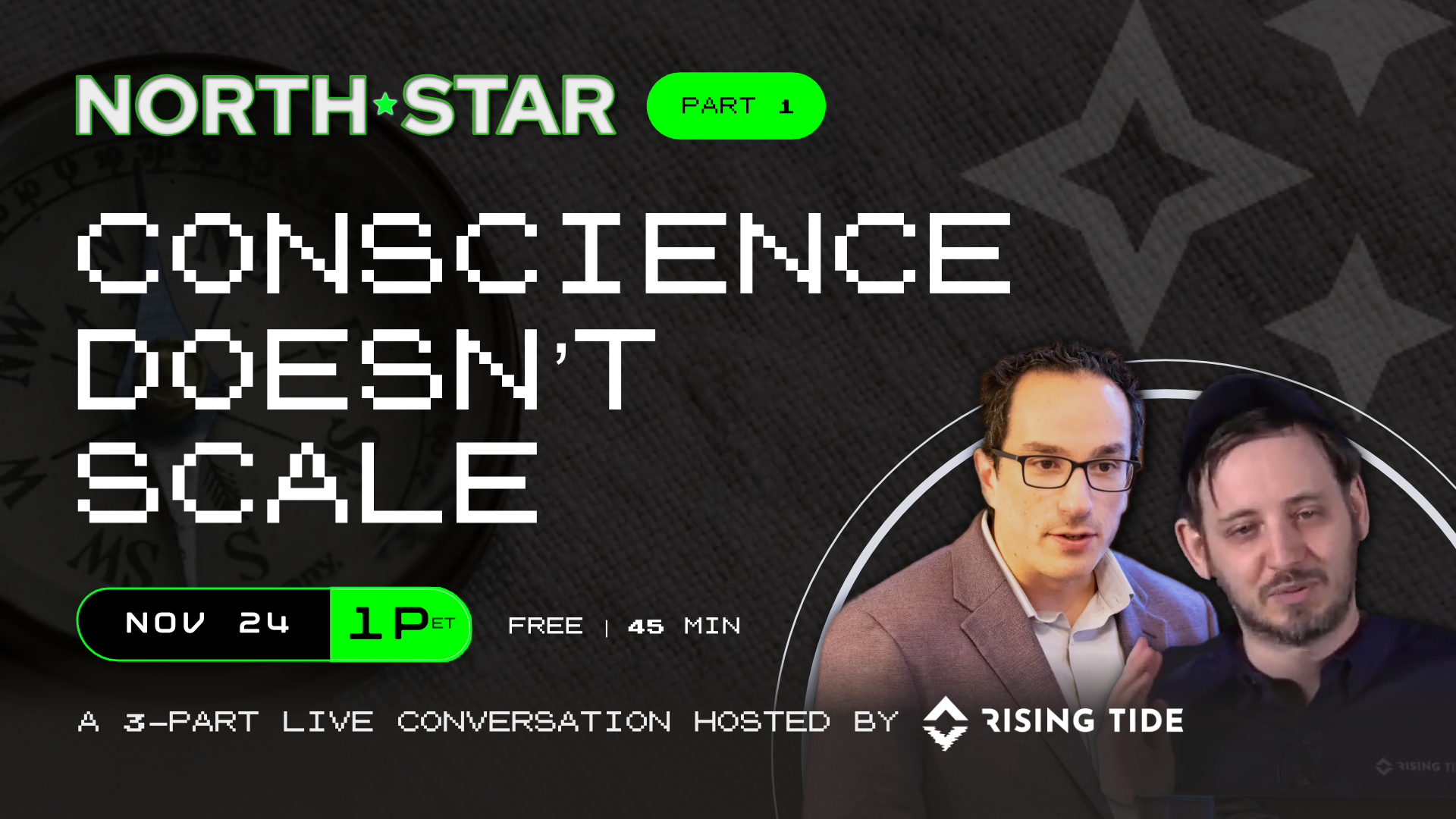
Recorded live: Tuesday, November 24, 2026 · Rising Tide
Hosts: Matt Topper & Mendy Green · Emcee: El Copeland
Watch the full session on YouTube: https://www.youtube.com/watch?v=dros8hzJ6ts
As technicians we have access to almost everything, and almost nobody trains us for the moments when that access puts us in a gray area. In Part 1 of North Star, Matt Topper (security evangelist, creator of r/msp) and Mendy Green (founder of Rising Tide) open with a study that caught repair-shop techs snooping through customer laptops. From there they work through two realistic MSP scenarios and give you practical tools for spotting when you're rationalizing a decision instead of actually making it.
In Part 1 of North Star, Matt and Mendy gave technicians a sturdier way to work through the judgment calls no SOP covers. They covered three questions for any tough decision: Rules (am I breaking a duty or policy?), Outcomes (who's helped or harmed?), and Traits (what would someone I respect do?).
This isn't a lecture on what you should do. It's about making your calls on purpose instead of hoping they work out.
The handout includes the moral disengagement patterns, example rationalizations for each, the self-check questions, and the ROT framework. Use it with your team. Bring it to a team meeting, pick one of the scenarios (or one of your own), and talk through it together:
The point isn't to agree on one answer. The point is for your team to have made these calls together before they run into these issues on a client call.
Tuesday, December 1, 2026 · 1:00 PM ET
Part 2 opens with a few minutes on the Tarasoff rule applied to IT, then moves into right vs. right and line drawing. Bring your own ethical gray areas. You can drop them in the Rising Tide Discord (https://discord.gg/ahKKUAZMxr) or come on screen and talk them through live.
Part 2: Where's the Line? is Tuesday, Dec 1 at 1 PM ET.
YouTube: https://youtube.com/live/EJsRZTrY6bo
LinkedIn: https://www.linkedin.com/events/7518690207156785152?viewAsMember=true
Add all three sessions to your calendar.

If you work in IT, you’ve been here: you’re restoring someone’s laptop and see photos you weren’t looking for. You find software nobody paid for. Someone senior asks you to print something and keep it between the two of you. You turn around and found yourself out in the middle of nowhere, relying on your best judgement -- hoping it was to make the right call -- and using the next complex problem to push aside any lingering doubts about your choice.
That’s what North Star is about. Over three Tuesdays, Matt Topper and Mendy Green will talk through the everyday judgment calls that come with working in tech. They’ll use ideas borrowed from law, medicine, and engineering, not to tell you what to do, but to give you perspective and context for the decisions you've had to make, and hopefully help you re-center on your moral compass. You're navigating constant grey areas often with little to no training.
Let's change that.
These three conversations are free to attend, will last 45 minutes, and they're live, so bring your team and a scenario of your own to the chat! We hope you'll include even your greenest employees on these sessions. You and your techs make these calls every day and, as always, an ounce of preparation is worth a pound of cure.
The schedule (all at 1 PM ET):
Add all three sessions to your calendar → LINK HERE
See you on November 24th!
Episode 26 closes out the first season of By the [run]Book with Mendy and El working through the first half of HaloPSA v2.22. The episode focuses heavily on integration reliability, billing automation, API improvements, portal updates, and several quality-of-life changes for Halo administrators.
The team will take a short break before returning with Season 2, where they will continue reviewing the remaining v2.22 release notes.
Watch Now: By the [run]Book: Episode 26
For easier tracking, check out haloreleases.remmy.dev to filter and search HaloPSA updates by ID, version, and keyword.
Exchange calendar updates from Outlook to Halo are now processed through Halo’s incoming webhook service.
Previously, real-time appointment updates could send a large number of requests into Halo and affect performance. The updates are now queued and processed in a more controlled way.
The incoming webhook service is no longer a beta feature and has been enabled across Halo instances. Halo is moving more high-volume integrations through this service to reduce the risk of large numbers of inbound requests affecting platform performance.
A new setting under Configuration > Tickets > General Settings controls whether a ticket’s default mailbox is updated after an email is sent.
This can help when a mailbox assigned to existing tickets has been deleted. However, Mendy recommended leaving the global setting unchanged unless there is a specific reason to use it.
Payments entered directly against a Halo invoice can now include the payment reference when synchronized to Xero.
This is especially helpful for check payments or other manually recorded payments because the reference can be used to match the payment to the corresponding bank transaction during reconciliation.
Halo now performs an additional validation check when generating an invoice from a sales order to help prevent duplicate invoices from being created.
Service searches in the self-service portal now search both the service name and its details. Previously, the search could be configured to search one or the other, which made relevant services easier to miss.
Individual customers can now be excluded from Halo’s automatic creation of recurring invoice lines from Pax8 subscriptions.
The customer record includes a Pax8 option that prevents recurring invoice lines from being created automatically. The Pax8 product cost can also be used when Halo creates related items and recurring invoice lines.
Mendy recommended testing this carefully:
New database fields make it possible to report on when the first agent joined a live chat and how long the user waited in the queue.
These fields provide call-center-style performance measurements for organizations using Halo’s live-chat support functionality.
Mendy noted that Halo chat remains relatively limited compared with platforms such as Microsoft Teams, Slack, or Discord. Organizations should carefully consider whether splitting internal communication between Halo chat and another collaboration platform will create unnecessary complexity.
When Halo creates an immediate invoice for a prorated recurring-invoice adjustment, the prorated amount will now also be recorded against the related invoice line.
This gives administrators a clearer history of where the prorated charge came from and why it was generated.
Mendy also reviewed the available proration options:
Invoice lines can now be manually linked to prepay records and included in deferred-revenue recognition.
This allows an invoice generated from a sales order to fund a prepay balance while still being recognized correctly during the deferred-revenue process.
Previously, the missing connection could cause Halo to generate the deferred-revenue invoice without applying the appropriate credit for the revenue that had already been billed.
API integrations can now instruct Halo to find the ticket user from the email address supplied in the reportedby property.
This can remove the need to make a separate API request to find the user ID before creating the ticket.
Mendy described this as valuable for nearly every vendor building a Halo integration.
Runbooks that retrieve an attachment will now use the returned Content-Type header to help construct a more appropriate filename.
Automatic recurring-invoice quantities will now exclude users and devices connected to inactive sites.
Previously, a user or device could remain individually active while belonging to an inactive site and still be included in the calculated invoice quantity. Halo will now exclude the record when any relevant part of that relationship is inactive.
Distribution Lists can now be configured to use a specific email field from the associated user records when sending messages.
Halo University can now be opened directly from Halo’s Help menu.
Additional webhook logging is available for the Addigy integration, providing more information when diagnosing synchronization or webhook-processing issues.
Tax-rate and tax-code import activity will now appear in the Outgoing tab. This gives administrators more information when troubleshooting tax data imported from an accounting integration.
A new integration option allows Halo to mark previously synchronized licences or subscriptions inactive when they disappear from Pax8, Ingram Micro, or CloudBlue.
This closes an important gap in the synchronization process. If the distributor simply removed a subscription instead of returning it with an inactive status, Halo previously had no way to know that the subscription was gone.
Mendy recommended enabling this setting for all affected integrations.
Invoice-line variables can now display the devices or users included in an automatically calculated quantity.
Mendy and El cautioned that providing more information does not always make an invoice more useful. The information should be presented in a format the customer can understand rather than included simply for the sake of transparency.
During the end-of-episode follow-up, Brie confirmed that the variable currently produces a comma-separated list with limited formatting. Mendy’s preference remains to provide the details in a separate, well-formatted report rather than overcrowding the invoice line.
When an invoice containing a prorated charge from the Ready for Invoice list is deleted, Halo will return the prorated line to a ready-to-invoice state.
This makes it possible to correct and reissue the invoice without losing the original prorated charge.
Administrators can now prevent the ticket summary from being stored in an asset’s change history when the asset is linked to a ticket.
Mendy suggested this may also help reduce the amount of change-history data stored against heavily used assets, which can contribute to slow loading or display problems.
When using the Generate PDF functionality, administrators can now select tickets, opportunities, and projects as the source entity.
El described the ability to select the entity used for PDF generation as a significant quality-of-life improvement.
Expense lists can once again be sorted by the Agent Name column.
Additional SLA fields are now available in ticket-list column profiles, including:
These fields make it easier to review whether tickets met their first-response targets and whether the current response target remains within SLA.
They can also be useful when building operational reports or ticket-list views for SLA monitoring.
Entities that support Halo’s third-party matching properties can now also use _match_additional_id.
Mendy used this release note to explain one of Halo’s strengths as an integration-first platform. Third-party systems can store their own integration name and record identifier against a Halo entity. Future API requests can then update that entity using the third-party identifier instead of first retrieving the Halo ID.
This can simplify integrations with external accounting, documentation, RMM, and custom application platforms.
Meter-reading improvements include changes to rollback behavior and recurring-invoice quantity recalculation.
Mendy recommended retesting existing meter-reading workflows after upgrading because this area has received several functional changes.
Approver-user selections are now paginated in the API, improving performance for Halo instances with large numbers of users.
ExternalLink records can now create visible buttons on related Halo entities.
Third-party integrations can provide a caption, icon, and URL so an agent can open the corresponding record in the external platform directly from Halo.
This is especially useful for vendors that want to provide a deep link from a Halo ticket, user, invoice, quote, or other supported entity into their own application.
Halo has expanded access controls for FAQ Lists, which function as the folder structure for the Halo knowledge base.
Knowledge-base articles continue to inherit access from their FAQ List, but edit permissions can now be more tightly controlled. An agent must have owner access to modify the FAQ List itself.
Mendy warned administrators to distinguish between agent access and user access:
Changes to knowledge-base permissions should therefore be tested carefully and applied intentionally.
The wording of the dropdown options for follower, delegated-approver, and email-CC scope fields has been revised to make the available choices clearer.
End-user virtual agents can now use the Search Tickets function. Mendy noted that the function may need to be added to the virtual agent’s permitted functions because it is not necessarily included by default.
Supplier contacts who sign in to the self-service portal can now be given a configured column profile. This allows the information shown in their portal lists to be controlled in the same way as other portal views.
Read and update access to fields stored against FAQ Lists can now be restricted according to the agent’s role.
Supplier contacts with portal access can now view knowledge-base articles and documents that have been made available to them.
Halo will preserve its connection to a linked Jira issue when the Jira issue is moved from one project to another.
The self-service portal asset and approval pages have received several display and configuration improvements.
Mendy and El highlighted the flexibility these changes provide for creating more useful and visually organized portal asset pages.
The user record now shows the sites for which that user has been assigned as a site contact.
The information appears in the user’s Preferences tab under the site-level notifications section. This can be helpful when reviewing contact responsibilities across customers with multiple sites.
A default note can now be stored against a product bundle. The note can then be included when the bundle is added to an invoice, quote, or sales order.
Ticket-list filters can now specifically identify records where a field is populated or blank.
This removes the need for workarounds such as filtering for an empty string or attempting to match a blank value.
The status, priority, and agent columns in portal ticket lists have been updated with a cleaner and more modern display.
An action can now be configured to apply a selected ticket template automatically when the action is used.
This can reduce the number of steps agents must complete when an action consistently requires the same template.
Email actions can now display the From Address field by default.
Agents could previously expose the field manually through the action’s three-dot menu. The new option makes it visible automatically for actions where selecting or confirming the sending mailbox is important.
Portal ticket voting can now be made available without requiring the voter to sign in.
El suggested this could be useful for creating a feature-request board where customers or community members vote on proposed ideas.
Article ratings can now be hidden from the portal while the underlying voting functionality remains enabled.
Halo administrators can now search across configuration settings instead of manually navigating through each configuration area.
The feature must first be enabled under Configuration > Advanced Settings in the configuration section. Once enabled, searching from the main Configuration page will:
Custom language packs can affect the scrolling and highlighting because Halo uses an exact text match on the destination page. Even when highlighting fails, the search result will still identify the correct configuration area.
Mendy recommended that administrators enable this feature immediately.